How to withdraw from Coinbase and spend your crypto without a bank transfer


Coinbase is a popular crypto exchange, but converting your digital assets into traditional currency might seem complex at first. In this guide, we’ll walk you through the step-by-step process to transfer your funds from Coinbase simple and hassle-free. Withdraw your Coinbase crypto in real world money.
How to withdraw from Coinbase and spend crypto without waiting days
- Visit Cryptorefills.com on your phone or desktop.
- Select the product you would like to purchase (for example Paypal).
- Add the product to your card and go to the checkout page.
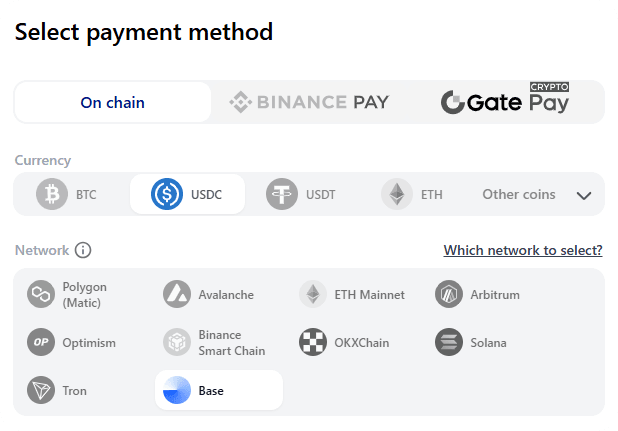
- Select the blockchain network and the coin you would like to withdraw from your Coinbase wallet. (For example USDC on Base network) Continue to the payment page.
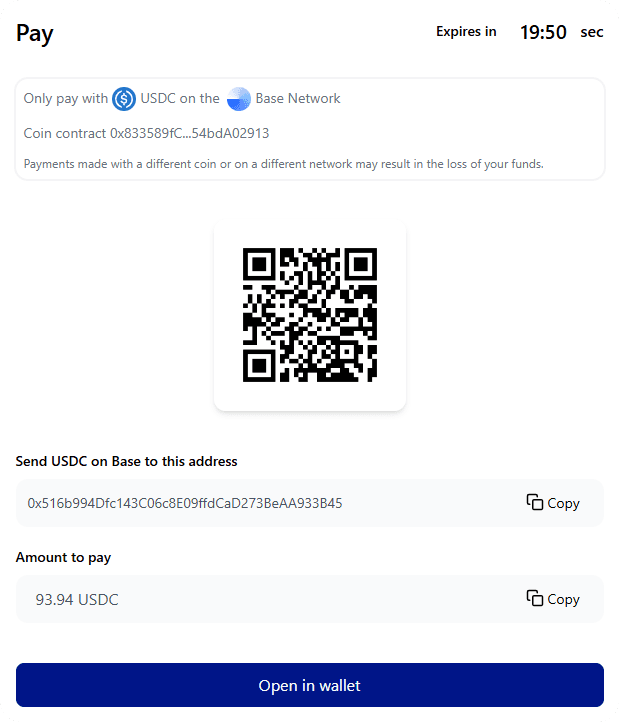
- Open the Coinbase app on your mobile device, select the appropriate network and coin, copy the address and amount, and initiate the withdrawal.
- That's it! As soon as the transaction is confirmed on the network, your product details—in this case, PayPal—will be delivered to your email and displayed on the screen.
Which tokens can I transfer from Coinbase to spend on Cryptorefills?
Most major tokens available on Coinbase are accepted on Cryptorefills at checkout. The most commonly used are:
- USDT (TRC20: lowest fees)
- USDC (Base or Ethereum)
- BTC (Bitcoin network)
- ETH (Ethereum)
- SOL (Solana)
Tip: if you are transferring USDT, use the TRC20 network on Coinbase for the lowest withdrawal fee.
Does Coinbase charge a fee to withdraw money?
When you transfer cryptocurrency from Coinbase to another wallet, Coinbase does not impose any additional transfer fees. However, you will need to pay network fees (gas fees) associated with the blockchain network.
Can you transfer money from Coinbase to a bank account?
Yes, Coinbase allow users to swap cryptocurrency for fiat currency or provide the option to link their funds to a bank account. But in some regions, direct deposit to bank account is not available.
Frequently asked questions
- Yes. Transfer from Coinbase to your wallet, then spend on Cryptorefills. No bank account needed, no fiat conversion, no waiting days.
- Yes. Bank withdrawals from Coinbase take 1–5 business days. Spending on Cryptorefills takes under 30 minutes once the transfer confirms.
- BTC, ETH, USDT, USDC, SOL and most major tokens available on Coinbase are accepted on Cryptorefills at checkout.
- USDT on TRC20 (Tron) has the lowest Coinbase withdrawal fee. Avoid Ethereum mainnet for small amounts, since gas fees can exceed the value of small purchases.
- You need a wallet to send from. Coinbase Wallet, Trust Wallet, MetaMask and most other standard wallets work. Alternatively you can send directly from your Coinbase account if the token and network are supported.
- You need a wallet to send from. Coinbase Wallet, Trust Wallet, MetaMask and most other standard wallets work. Alternatively you can send directly from your Coinbase account if the token and network are supported.