How to buy an eSIM with crypto (Bitcoin, USDT & more)

Darwin Delrosario
How-to
4 Min read
What is an eSIM, and can you pay with crypto? This guide explains how eSIMs work, which coins are accepted, and how to activate one before your next trip.
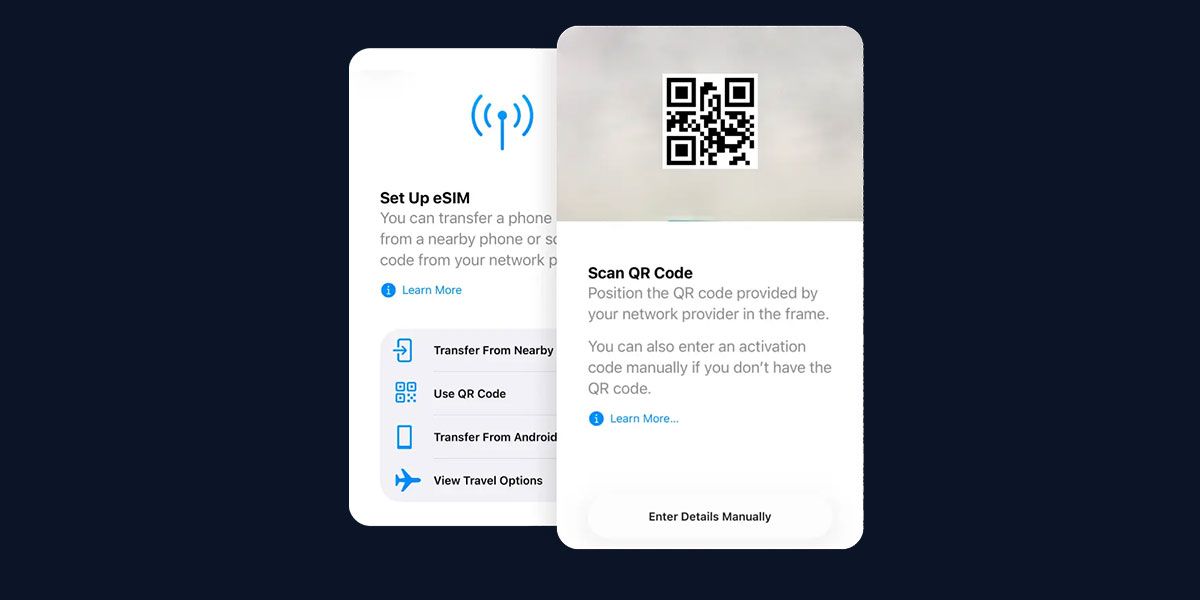
What is an eSIM?
An eSIM (embedded SIM) is a digital version of the physical SIM card already built into your smartphone. Unlike physical SIM cards, you don’t need to open your phone's SIM tray and swap SIM cards; download a "profile" via a QR code and you're good to go.
Why pay for an eSIM with crypto?
Using crypto for travel connectivity isn't just a cool novelty, it’s also functional.
- Privacy. Most providers only require an email address. No passport or credit card billing address is linked to your location.
- Accessibility. Crypto works 24/7, everywhere.
- Zero conversion fees. Avoid the usual 3% "foreign transaction fee" banks charge to convert your home currency to local data plan prices.
- Instant delivery.Transactions on networks like Solana (SOL) or Layer 2s settle in seconds, delivering your QR code immediately.
Which cryptocurrencies are accepted?
Coins
USDCUSDTBTCETHLTCSOLTONTRXSUIUSDEFDUSDUSDT.eUSDC.eDOGEDAIEUROCWLDPYUSD
Networks
SolanaLightningAvalanchePolygon (Matic)ETH MainnetArbitrumOptimismBinance Smart ChainBaseSonicSuiTronPlasmaX LayerTonMainnetWorldChain
Pro tip: Use stablecoins like USDT or USDC and use Layer 2 networks for the lowest fees.
How the eSIM purchase process works
- Select your destination. Go to eSIM section and search for the country you’re visiting.
- Choose a data plan. Select your data package (e.g., 10GB for 30 days).
- Enter email. Provide the email where you want the QR code delivered. No KYC or ID required.
- Select crypto and network. Choose your coin.
- Pay. Scan the QR code with your wallet (Binance, MetaMask, Phantom, etc.) and send the exact amount.
- Receive eSIM. Once the blockchain confirms (usually a few seconds or minutes), your eSIM QR code arrives in your inbox.
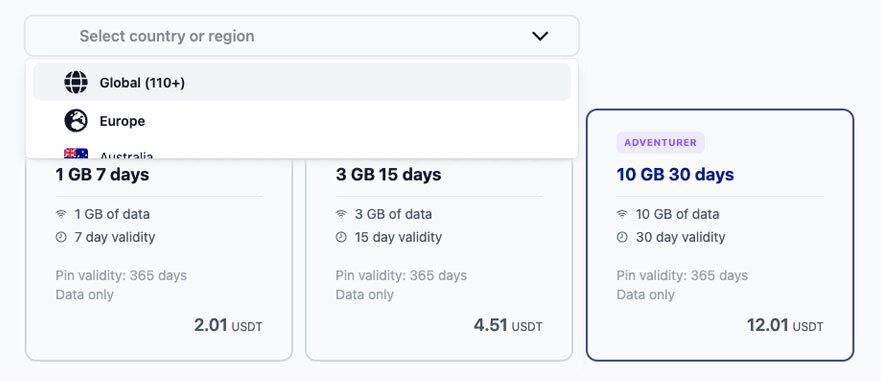
How to activate your eSIM (QR code guide)
Once your payment is confirmed, your eSIM QR code is delivered to your email instantly. Open your phone's Settings, scan the QR code, enable Data Roaming, and you're connected.
Need the full setup guide? See our step-by-step eSIM activation guide.
Five things worth knowing before you travel
- Wait to activate.
There's an important difference between installing your eSIM and activating it. You can scan the QR code and download the profile to your phone the moment you receive it, but most plans only start their data clock once you actually switch to the eSIM and connect. Install it at home while you have a stable Wi-Fi connection, then activate it when you land. One more tip: save the QR code image to your camera roll. If you lose access to the original email mid-trip, you'll still have a backup. If you are ready to get yours, browse eSIM plans you can pay with crypto. - Wi-Fi is mandatory.
Your international eSIM profile is downloaded over the internet, which means you need an active Wi-Fi or data connection to scan the QR code and install it. If you land without Wi-Fi nearby, switch your home SIM back on temporarily, install the eSIM profile, then switch back. Most eSIMs bought with Bitcoin or USDT on Cryptorefills are delivered to your inbox within minutes of payment confirmation, so you can install before you even leave the house. - Check "Data Roaming".
This is the number one reason crypto eSIMs appear to "not work" after activation. Your phone will show full signal bars, but nothing loads. The fix is almost always the same: you forgot to toggle Data Roaming to ON. On iPhone, go to Settings → Cellular → [your eSIM plan] → turn on Data Roaming. Also check that your eSIM is set as the "Default Line" for cellular data. On Android (Samsung/Pixel), go to Connections → SIM Manager → select your eSIM → enable both Mobile Data and Data Roaming. Some Samsung models may also require you to manually configure APN settings if the plan doesn't auto-configure. - Keep your home number active.
One of the most underrated benefits of buying an anonymous eSIM with crypto is dual SIM capability. Your home SIM stays in your phone and active the whole time. This means you keep receiving calls and messages on your normal number, WhatsApp and iMessage work as usual, and you use the travel eSIM purely for mobile data. Just make sure your home SIM is set to handle calls and your eSIM is set to handle data. - Don't run out of data mid-trip.
eSIM plans are not permanent. When your data runs out or the validity period ends, the profile stays on your device but goes inactive. You can purchase a new international eSIM plan, pay with Bitcoin, USDT, USDC, ETH or any supported crypto, and receive a new QR code within minutes. Some providers offer top-up options; others require a fresh plan purchase. Because there's no KYC or ID verification required, buying another eSIM with crypto takes about 60 seconds.