How to buy an Everything Apple gift card with crypto

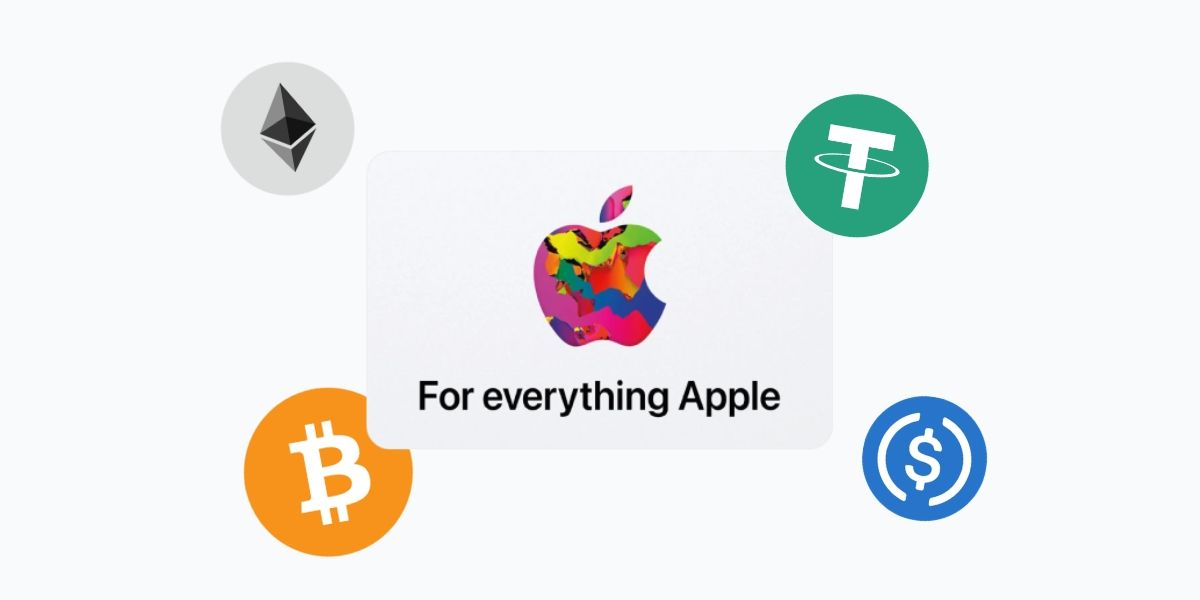
Apple doesn't accept Bitcoin. You can't pay for an iPhone with ETH, fund your iCloud storage with USDT, or buy an app with Solana. Apple takes credit cards, debit cards, PayPal and Apple Pay. Crypto isn't on the list yet.
The workaround is the Everything Apple gift card. Here's how it works.
What is an Everything Apple gift card?
In 2020, Apple replaced its two separate gift cards, the Apple Store card (hardware only) and the App Store and iTunes card (digital only) with a single unified card that works across both. The "Everything Apple" name is Apple's own, and it's accurate: one card, one balance, the full Apple catalogue.
When you redeem an Everything Apple gift card, the value is added to your Apple Account balance. From there, that balance is applied automatically at checkout whether you're buying AirPods at apple.com, subscribing to Apple Music, paying for extra iCloud storage, or downloading an app.
What you can buy with it
The range is wider than most people expect.
Hardware and accessories - Macs, iPhones, iPads, Apple Watches, AirPods, and accessories purchased through apple.com or the Apple Store app. For large purchases, your gift card balance applies toward the total and you pay any remainder with another method.
App Store - apps, games and in-app purchases, including in-game items in titles that use Apple's payment system.
Digital subscriptions - Apple Music, Apple TV+, Apple Arcade, Apple News+, iCloud+ storage plans and eligible third-party app subscriptions billed through the App Store.
Digital media - movies, TV shows, books and music from the iTunes Store, Apple TV app and Apple Books.
One thing to know: your Apple Account balance is applied automatically at checkout. You don't need to select it, Apple prioritizes it over other payment methods.
What it can't be used for: physical Apple Store resellers (non-Apple retailers), purchases outside Apple's ecosystem, and buying additional Apple gift cards. There's also a $2,000 cap on Apple Account balance relevant if you're buying high-value hardware.
How to buy an Everything Apple gift card with crypto on Cryptorefills
1. Choose your region and amount
Open Cryptorefills and go to the Everything Apple gift card page. Select the region that matches your Apple ID — the card is region-locked, so this needs to match your account's country, not just where you're located.
2. Enter your email
Your gift card code gets delivered here. Logged into Cryptorefills? Your account email is pre-filled.
3. Pick your crypto
Cryptorefills supports 100+ cryptocurrencies across 20+ networks. Bitcoin, Bitcoin via Lightning Network, Ethereum, USDT, USDC, Solana, Litecoin, Dogecoin, TRX, TON and more — across Polygon, Base, Arbitrum, Tron, Avalanche, Binance Chain, World Chain and others. Binance Pay and Gate.io are also available.
4. Complete the payment
Send the exact amount shown to the address provided or scan the QR code. Once the payment confirms, your Everything Apple gift card code appears on screen and is sent to your email.
No KYC. No account required. Just an email address.
How to redeem your Everything Apple gift card
- Go to apple.com/shop/redeem and sign in to your Apple ID.
- Tap the dropdown arrow and select Redeem.
- Enter your code. The balance is added to your Apple Account instantly.
Alternatively, you can redeem directly from the App Store: tap your profile photo, select Redeem Gift Card or Code, then tap Enter Code Manually.
Once redeemed, the balance shows in your Apple Wallet under your Apple Account card.
Which crypto should you use?
Stablecoins (USDT, USDC) are the most predictable option, especially for larger amounts like hardware purchases can run to several hundred dollars, and stablecoins mean no price movement between sending and confirming. USDT on Tron and USDC on Base or Polygon tend to have low fees.
Bitcoin via Lightning Network is fast and cheap for any amount. If you're funding smaller purchases, a subscription, an app, and some iCloud storage, Lightning is a natural fit.
Solana and Litecoin both have low fees and work well for mid-range purchases.
Ethereum on-chain is available but network fees make it less efficient for smaller transactions. Better suited to larger gift card amounts.
The honest answer: use what you're holding. For anything under $50, Lightning or a low-fee L2 stablecoin is the most efficient. For hardware-range amounts, stablecoins give you the most predictable outcome.
The region rule
Everything Apple gift cards are region-locked to your Apple ID. A US card only works on a US Apple ID. A UK card only works on a UK Apple ID. Attempting to redeem a card in the wrong region will result in an error.
The rule is simple: match the card region to your Apple ID's country.
To check your Apple ID region: open the App Store, tap your profile, and go to Account. Your country or region is listed there.
Cryptorefills carries Everything Apple gift cards for multiple regions. Select the matching one before you check out.
Does it work for hardware?
Yes, the Everything Apple card loads onto your Apple Account balance, and that balance is accepted at apple.com and in the Apple Store app, you can put crypto toward any Apple hardware purchase. A MacBook. An iPhone. A pair of AirPods. If it's sold directly by Apple, your gift card balance can cover some or all of the cost.
The $2,000 account balance cap matters here. If you're planning a large hardware purchase, check your current Apple Account balance before buying gift cards, you can't load more than $2,000 in total.
For in-store purchases at a physical Apple retail location, hardware purchases typically work with Apple Account balance via the Apple Store app checkout. Confirm with the store directly for high-value transactions.
Do Everything Apple gift cards expire?
No. Apple gift card balances don't expire once they're added to your Apple Account. There's no time limit on spending them.
That said, redeem the code as soon as you receive it. An unredeemed code sitting in an email is a lost or stolen device away from being unusable, once it's on your account, it's yours.
Frequently asked questions (FAQs)
- Yes. Apple One bundles multiple Apple services and is billed through Apple's payment system. Your Apple Account balance applies.
- Yes. If your balance covers part of the cost, Apple charges the remainder to your other payment method on file.
- Yes. Redeem multiple codes and the values stack in your Apple Account balance. There's no limit on the number of codes you can add, just the $2,000 total balance cap.
- The code will return an error when you try to redeem it. Cryptorefills can't issue refunds for codes purchased for the wrong region, double-check your Apple ID country before you buy.
- The Everything Apple card replaced both the App Store/iTunes card and the Apple Store hardware card. The old card types are still accepted if you have them, but the Everything Apple card is what Cryptorefills supplies and it works everywhere the old cards did, plus hardware.
- You can buy Everything Apple gift cards with Bitcoin, USDT, ETH, Solana and 20+ other cryptocurrencies on Cryptorefills. No KYC, instant delivery.
- You can buy Everything Apple gift cards with Bitcoin, USDT, ETH, Solana and 20+ other cryptocurrencies on Cryptorefills. No KYC, instant delivery.