How to pay with TON Wallet on Cryptorefills

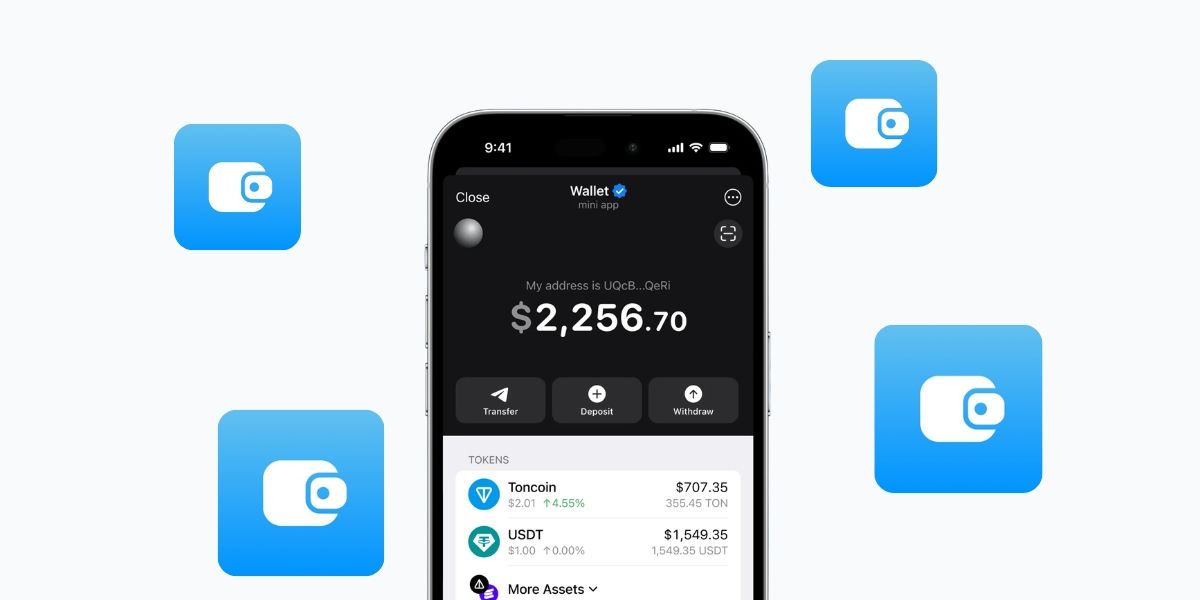
What is TON Wallet?
TON Wallet is built directly into Telegram. There's nothing to download. If you have Telegram, you already have access. Open the app, tap the Wallet tab, and you're in.
Telegram now has over 1 billion monthly active users, and more than 100 million of them have already activated the built-in wallet. On the TON blockchain side, cumulative wallet activations have crossed 48 million as of early 2026, with around 2 million daily transactions running through the network. It's a large and active ecosystem and it's still growing fast.
TON Wallet supports TON (Toncoin) and USDT on the TON network, with fast transactions and low fees. You can also use third-party TON wallets like Tonkeeper and MyTonWallet both work on Cryptorefills through the same TON network.
What can you buy with TON on Cryptorefills?
Quite a lot. On Cryptorefills you can pay with TON or USDT across every major category:
- Gift cards - Netflix, Steam, Amazon, Google Play, iTunes, Spotify, and hundreds more
- Mobile top ups - top up a phone number in 150+ countries instantly
- eSIMs - data plans for travel, activated the moment you pay
- Stays - book accommodation worldwide
- Flights - pay for flights with crypto, no bank involved
Every purchase delivers instantly. No waiting on confirmations that drag out for minutes.
How to pay with TON Wallet on Cryptorefills
- Open Cryptorefills and find the brand or product you want.
- Add it to your cart and go to checkout.
- Select TON as your payment network, then choose TON or USDT as your currency.
- A payment address and amount appear. Open your TON Wallet (Telegram Wallet, Tonkeeper, or MyTonWallet), scan or paste the address, and confirm.
- The transaction confirms on the TON network. Your gift card code or order details are delivered instantly.
No account required. No KYC.
Which TON wallet should you use?
All three work. The right one depends on what you're already using:
Wallet in Telegram - the easiest starting point if you're new to TON. It's already in Telegram, custodial by default, and takes minutes to set up. Good for casual use.
Tonkeeper - a self-custody wallet with a clean mobile interface. Your keys, your funds. A good choice if you're regularly transacting onchain and want full control.
MyTonWallet - the most feature-rich option: supports TON, TRON and Solana, has a built-in swap aggregator, and has passed a CertiK security audit. Worth it if you're managing a bigger stack or want cross-chain flexibility.
For paying on Cryptorefills, any of the three works the same way.
TON or USDT: Which should you use?
It comes down to one question: do you want to spend the asset or hold it?
Pay with USDT if you want price stability. You know exactly what you're spending, one USDT is one dollar. It's also useful if you've received USDT from Telegram contacts or P2P transactions and want to put it to work immediately.
Pay with TON if you're comfortable spending the native asset and don't want to add a conversion step. TON fees are low, so you're not losing much to the network regardless.
Both clear just as fast on the TON network.
Why pay with TON on Cryptorefills?
A few things set it apart from paying with other crypto:
No KYC (terms and conditions apply.) Cryptorefills doesn't ask for ID. You pay, you get your code.
Low fees. TON is one of the cheaper networks to transact on. You're not burning $5 in gas to buy a $10 gift card.
Already in your pocket. If you use Telegram, you're one tap away from your wallet. There's no app-switching or extra setup.
Stablecoin-friendly. USDT on TON is fully supported so if you're sitting on stablecoin balances from Telegram payments, P2P trades or earnings, you can spend them directly.
What's available inside TON Wallet on Telegram?
Right now, TON Wallet on Telegram gives you access to eight built-in apps and services:
- Getgems - NFT marketplace on the TON blockchain
- Gift Cards - buy digital gift cards with TON or USDT
- TON VPN - a decentralized VPN service built on TON
- Telegram Stars - buy Stars to use inside Telegram (tipping, unlocking content)
- Tokenstore - provides digital gift cards and e-pins
- TonMobile - mobile data and eSIM services
- Mira - an AI assistant built on the TON ecosystem
- TON Travel - travel booking with crypto
It's a solid start, but the selection is limited to eight options. If you want access to hundreds of brands across gift cards, mobile top ups, eSIMs, stays and flights, all payable with TON or USDT, Cryptorefills is the place to go. You get the same TON network, the same wallets, and a lot more to spend on.
Frequently asked questions (FAQs)
Can I pay with USDT from my TON Wallet?
Yes. Cryptorefills supports USDT on the TON network. At checkout, select TON as your network and USDT as your currency.
Do I need to verify my identity to pay with TON?
No. Cryptorefills requires no KYC for TON purchases.
Which TON wallets work on Cryptorefills?
Wallet in Telegram, Tonkeeper and MyTonWallet all work. Any wallet that can send TON or USDT on the TON network will do.
How long does a TON payment take?
TON transactions confirm in seconds. Your order is processed as soon as the payment hits.
Is TON available in my country?
TON is available in most countries on Cryptorefills. Wallet in Telegram has regional restrictions in some markets, if it's not available where you are, Tonkeeper or MyTonWallet work as alternatives.
Ready to spend your TON? Browse brands on Cryptorefills and pay with your TON Wallet today.